
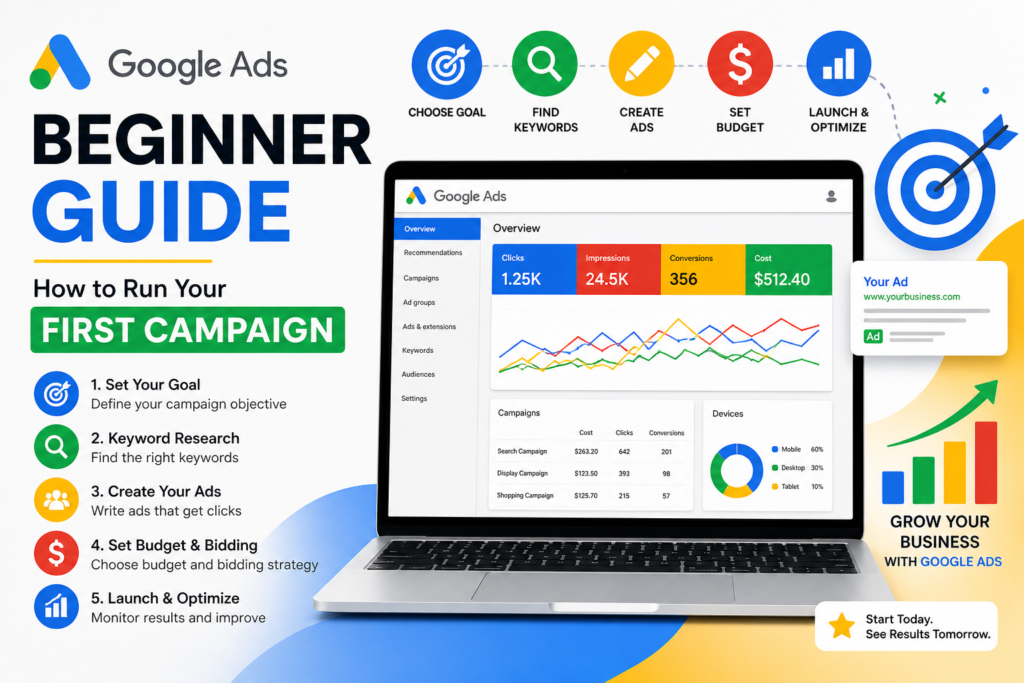
SEO takes months. Google Ads for beginners can put you at the top of search results today. For businesses that need leads, sales, or traffic fast — paid search is one of the most powerful tools available. But without a proper setup, it’s also one of the fastest ways to burn through a budget. This guide shows you exactly how to do it right from day one.
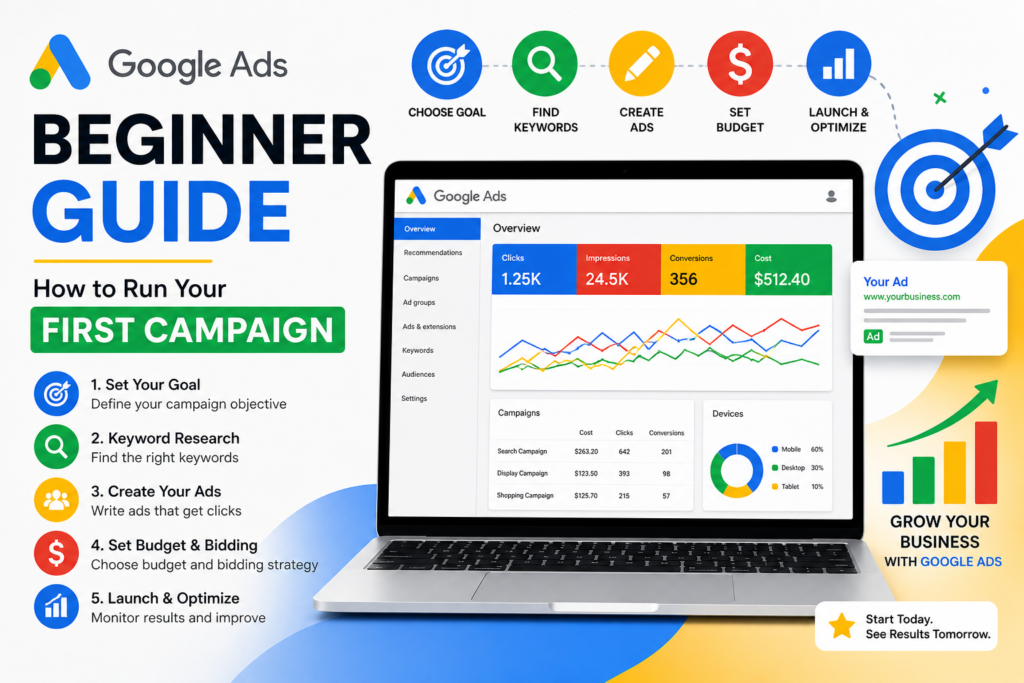
What Are Google Ads?
Google Ads (formerly Google AdWords) is an online advertising platform where you pay to show your website at the top of Google search results. Unlike SEO, you don’t wait months — you bid on keywords and your ad can appear within hours of launching.
The model is called Pay-Per-Click (PPC): you only pay when someone actually clicks your ad. That means you’re not charged for impressions — only for real visits to your site.
What a Google Ad looks like in search results
Sponsored
Affordable SEO Services — Start Ranking This Month
www.yourwebsite.com › seo-services
Get expert SEO audits, content strategy & link building. Trusted by 500+ businesses. Free consultation available. No long-term contracts.
Why Google Ads Work for Beginners
The beauty of Google Ads is intent. When someone searches “emergency plumber near me” or “buy noise cancelling headphones under $100”, they’re already ready to act. You’re not interrupting them — you’re answering their question at exactly the right moment (Google Ads for beginners).
Instant visibility
Appear at the top of Google the same day you launch — no waiting for organic rankings.
Precise targeting
Show ads only to people searching your exact keywords, in your location, on your schedule.
Full budget control
Set daily limits and pause anytime. You’re always in control of how much you spend.
Measurable results
Track clicks, conversions, and ROI precisely. Know exactly what your money is producing.
Step-by-Step: Setting Up Your First Campaign
Create a Google Ads Account
Go to ads.google.com and sign in with your Google account. When prompted to create your first campaign, click “Switch to Expert Mode” — this gives you full control rather than the simplified guided setup.
Choose Your Campaign Goal
Select a goal that matches your objective: website traffic, leads, sales, or phone calls. For most beginners, “Leads” or “Website traffic” is the right starting point.
Select Campaign Type: Search
Choose “Search” as your campaign type. This shows text ads on Google search results. Avoid Display, Shopping, or Performance Max until you understand the basics — they’re harder to control.
Set Your Location & Language
Target the specific city, region, or country where your customers are. If you’re a local business, keep this tight — don’t target nationally when your clients are in one city.
Define Your Budget
Set a daily budget you’re comfortable losing while learning. Start small — even $10–$20/day gives useful data. Google may spend up to 2x your daily budget on high-traffic days but will balance out monthly.
Choose Your Bidding Strategy
For beginners, start with “Maximize Clicks” to get traffic data. Once you have conversion tracking set up and at least 30–50 conversions, switch to “Target CPA” or “Maximize Conversions” for better results (Google Ads for beginners).
Build Your Ad Groups & Keywords
Group related keywords together under one ad group. Each ad group should have a tight theme — for example, one group for “SEO services” and a separate group for “content marketing.” Aim for 5–15 keywords per group.
Write Your Ads
Create at least one Responsive Search Ad per ad group. Provide 15 headlines and 4 descriptions — Google will test combinations to find what works best. Include your keyword, a clear benefit, and a strong call to action in multiple headlines.
Understanding Keyword Match Types
This is where most beginners go wrong. Match types control how closely someone’s search must match your keyword before your ad shows. Get this wrong and you’ll waste budget on irrelevant clicks.
| Match Type | Example Keyword | Could Trigger For | Best For |
|---|---|---|---|
| Broad Match | running shoes | “sneakers for jogging” or “athletic footwear” | Discovery — but risky for beginners |
| Phrase Match | “running shoes” | “best running shoes for women” | Balanced reach + relevance |
| Exact Match | [running shoes] | “running shoes” only (close variants) | Maximum control, lower volume |
Beginner tip: Start with Phrase Match and Exact Match keywords. Broad Match can drain your budget quickly on irrelevant searches until you know what you’re doing.
Negative Keywords: Your Secret Weapon
Negative keywords prevent your ad from showing for searches that aren’t relevant to your business. They’re one of the most underused tools in Google Ads.
For example, if you sell premium coaching services, you’d add “free,” “cheap,” and “DIY” as negative keywords so you’re not paying for clicks from people looking for something you don’t offer.
Build your negative keyword list before launch and review your Search Terms report weekly to catch irrelevant queries draining your budget.
Writing Ads That Actually Get Clicked
Your ad copy is your first impression. You have a headline and two lines of description to convince someone mid-search to choose you over everyone else.
- Include the keyword in your headline — it bolds in the search result and signals relevance
- Lead with a benefit, not a feature — “Get More Leads” beats “We Offer Marketing Services”
- Add a specific call to action — “Book a Free Call,” “Get an Instant Quote,” “Shop Now”
- Use numbers where possible — “Rated 4.9/5 by 1,200 Customers” builds instant trust
- Use ad extensions — Add sitelinks, callouts, and phone numbers to take up more screen space
The Landing Page Rule
Your ad and landing page must match. If someone clicks an ad for “affordable accounting software,” they should land on a page about affordable accounting software — not your generic homepage. Mismatched landing pages kill conversion rates and raise your cost-per-click.
How Much Should You Budget?
There’s no universal answer, but here’s a practical framework for beginners:
| Business Type | Suggested Daily Budget | Why |
|---|---|---|
| Local service (plumber, salon) | $15 – $30/day | Lower competition, local targeting |
| E-commerce (small store) | $20 – $50/day | Needs volume to test products |
| B2B / professional services | $30 – $75/day | Higher CPC, but higher ticket value |
| Competitive national market | $75+/day | Low budget = too few clicks to optimize |
The key insight: treat your first month’s spend as market research, not pure advertising. You’re buying data that tells you which keywords convert, which ads perform, and what your real cost-per-lead looks like.
Tracking Conversions: Non-Negotiable
Running Google Ads without conversion tracking is like driving blindfolded. You need to know which clicks turn into customers — not just which ones visit your site.
Set up Google Ads conversion tracking for: form submissions, phone calls, purchase completions, or any action that signals a real business outcome. This takes about 20 minutes to install and transforms your ability to optimize the campaign intelligently.
Common Beginner Mistakes to Avoid
Targeting too broadly
National targeting for a local business, or broad match keywords without negatives, burns budget fast on irrelevant traffic.
Sending traffic to the homepage
Every ad should point to a dedicated, relevant landing page — not your homepage which tries to do everything at once.
Setting and forgetting
Google Ads requires weekly attention. Check your Search Terms report, pause underperforming keywords, and test new ad copy regularly.
Skipping the Search Terms report
This report shows the actual queries that triggered your ads. It’s the single most important report for finding negative keywords and new opportunities.
Quick-start checklist: Expert Mode on ✓ | Conversion tracking installed ✓ | Location targeting set ✓ | Phrase + Exact Match only ✓ | Negative keywords added ✓ | Dedicated landing page ready ✓ | Daily budget capped ✓
Your First Campaign Starts Here
Google Ads rewards intention and attention. Set it up right, track everything, and treat the first month as a learning phase — not a final verdict. Most businesses that “tried Google Ads and it didn’t work” simply set it up wrong. With the foundation this guide gives you, you’re already starting smarter than most. Now go launch that first campaign.
Google Ads for beginners read.